How to make a game with AI.
Two agents, one game.
Vibe coding games, in plain English: Claude Code writes the game, Codex makes the art, and you play it in your browser. No coding needed.
Games are the most fun thing you can build with AI. You can tell in two seconds whether the jump feels right or the beetle is too fast, so every message you send makes the game a little better. That’s why vibe coding games has taken off: you describe the game, an AI agent builds it, you play it and say what to change. You hardly ever look at the code.
But you’ve probably seen what comes out when nobody takes care of the rest: AI slop. Games that look like a hundred others. Muddy, mismatched graphics, a hero that changes face from one screen to the next, buttons that don’t belong to the game, and a feel that says nobody really cared. You can spot it at a glance, and so can everyone you send it to.
A good game needs more than code that runs. It needs a look of its own: a hero you remember, a world that hangs together, menus that match. The way to get there is to use two agents, and give each one the job it’s best at.
Claude Code for the code.
Codex for the art.
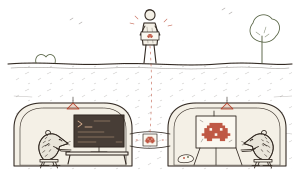
What a game
is made of.
Every game, from Tetris to the one you’re about to make, has the same three parts. You don’t need to build any of them yourself, but knowing their names makes it much easier to ask for what you want.
The code: the rules. How high the hero jumps, what happens when it touches an enemy, the score, the levels, the controls on a keyboard and on a touch screen.
The assets: everything you see and hear. Characters and their animations (sprites), the blocks the levels are built from (tiles), buttons, hearts and menus (the UI), backgrounds, music and sound.
The engine: what puts it on screen. A free library that draws the game, frame after frame, and helps with the fiddly parts: animation, sound, keyboard and touch.
Pick an engine,
or let it pick.
Many games people vibe code are browser games: they run on a modern phone or laptop from a link, with nothing to install. Three free options do almost all the work:
Phaser for 2D games: platformers, top-down adventures, puzzle and arcade games. It has sprites, tilemaps and physics built in.
Three.js for 3D: one of the best-known 3D libraries for the web, with a huge number of examples to learn from. Babylon.js and PlayCanvas are good alternatives.
Plain HTML canvas for very small games, like a quiz or a one-screen arcade game. No library at all.
OpenAI’s own Game Studio plugin for Codex makes the same call: Phaser by default for 2D, Three.js for 3D. If you’re not sure, just say “2D” or “3D” and let the agent choose.
Claude Code
writes the game.
Give the code to Claude Code, Anthropic’s coding agent. It’s careful with game logic, keeps the project tidy as you add levels and enemies, and tells you what it changed in plain words. Physics, collisions, a score, a pause menu, touch controls for phones: that’s its home ground.
A game also has to be played to be tested. On Krot, Claude Code has its own browser, so it doesn’t just write the game: it opens it, plays it, takes a screenshot and fixes what looks wrong, often before you’ve seen it.
What Claude Code can’t do is paint. It draws with code, using shapes and colours, which is fine for a menu and a score, but not for a mole with a helmet and a headlamp.
Codex makes
the game assets.
Codex, OpenAI’s coding agent, has an image generator built in. It comes with paid ChatGPT plans (Plus and up), with no extra account; pictures just use up your Codex allowance faster than text does. Ask it for a character, a sprite sheet, a tileset or a title screen and it makes the pictures and saves them straight into your project, where the game can use them.
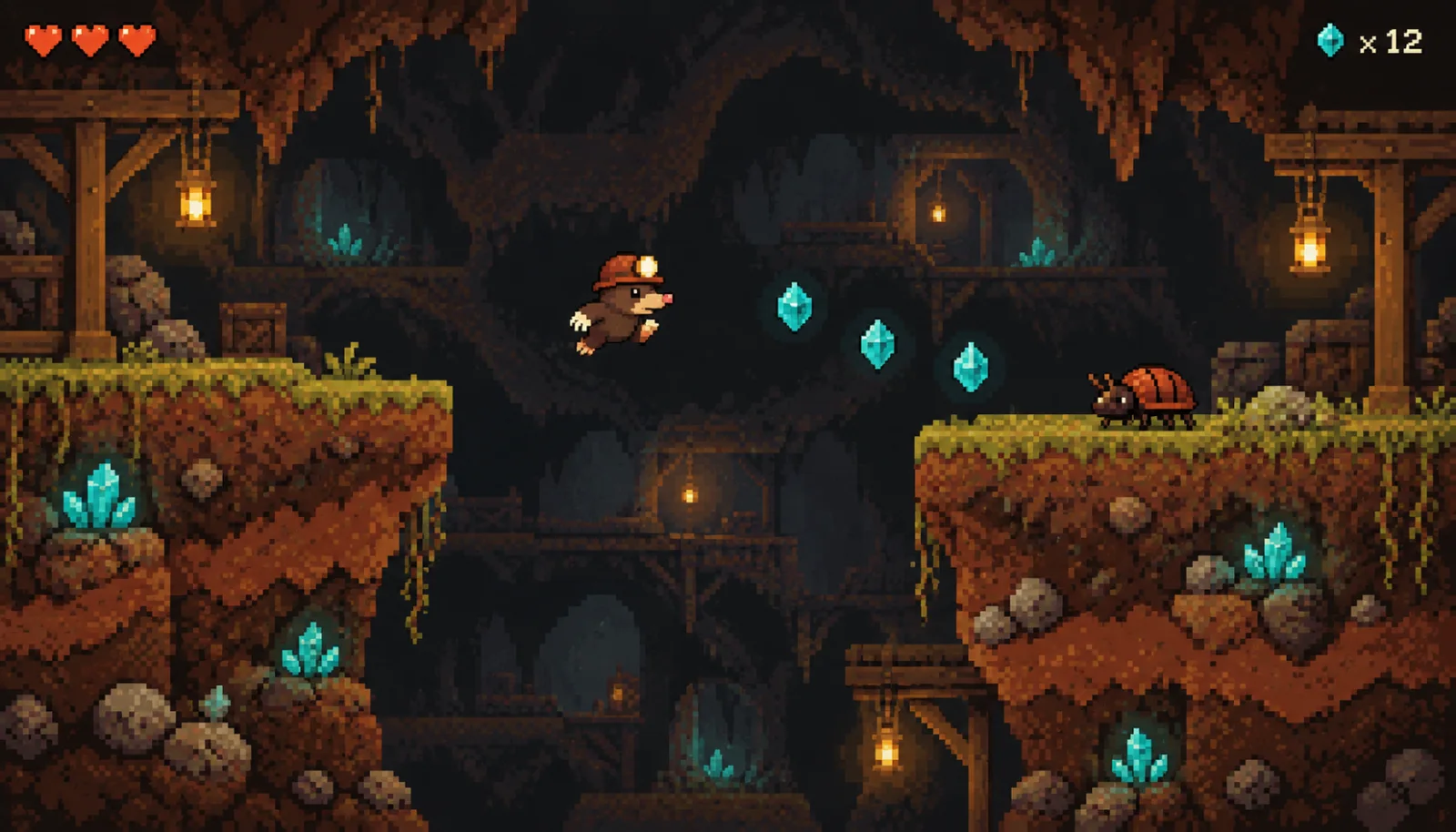
With the Game Studio plugin it also knows the game-specific steps: lining sprite frames up on an even grid, keeping one anchor point so a character doesn’t wobble as it runs, and checking it all in the browser. It’s good at the look around the game too: the colours, the fonts, the menus and the page your game lives on. Codex can write game code as well; here we give it the art, so each agent does the part it’s best at.
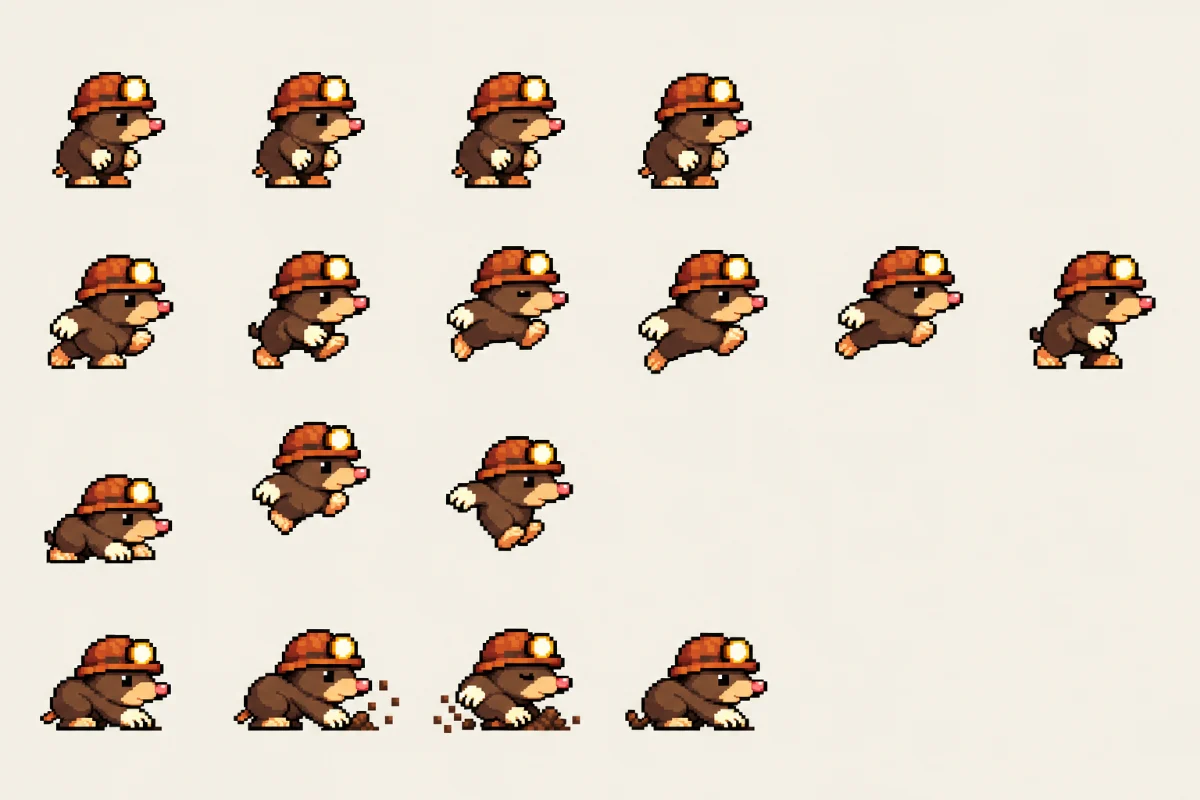
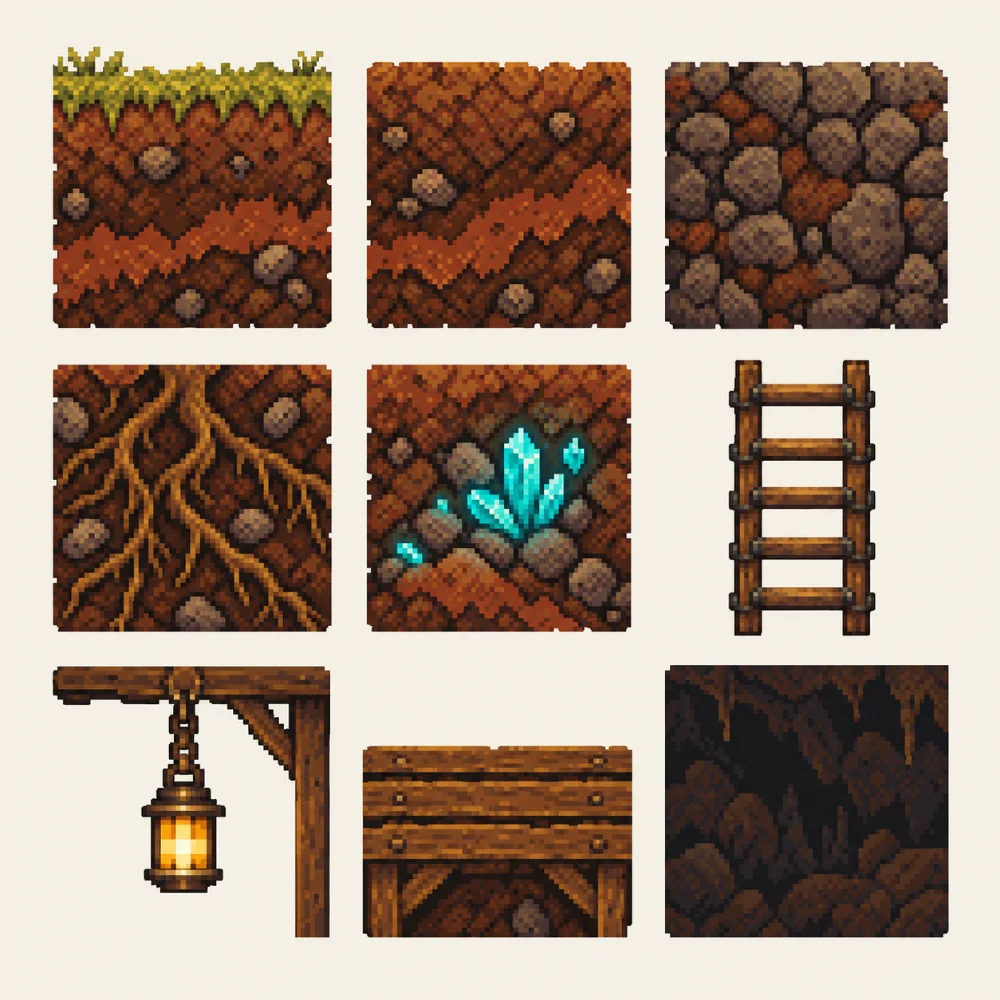
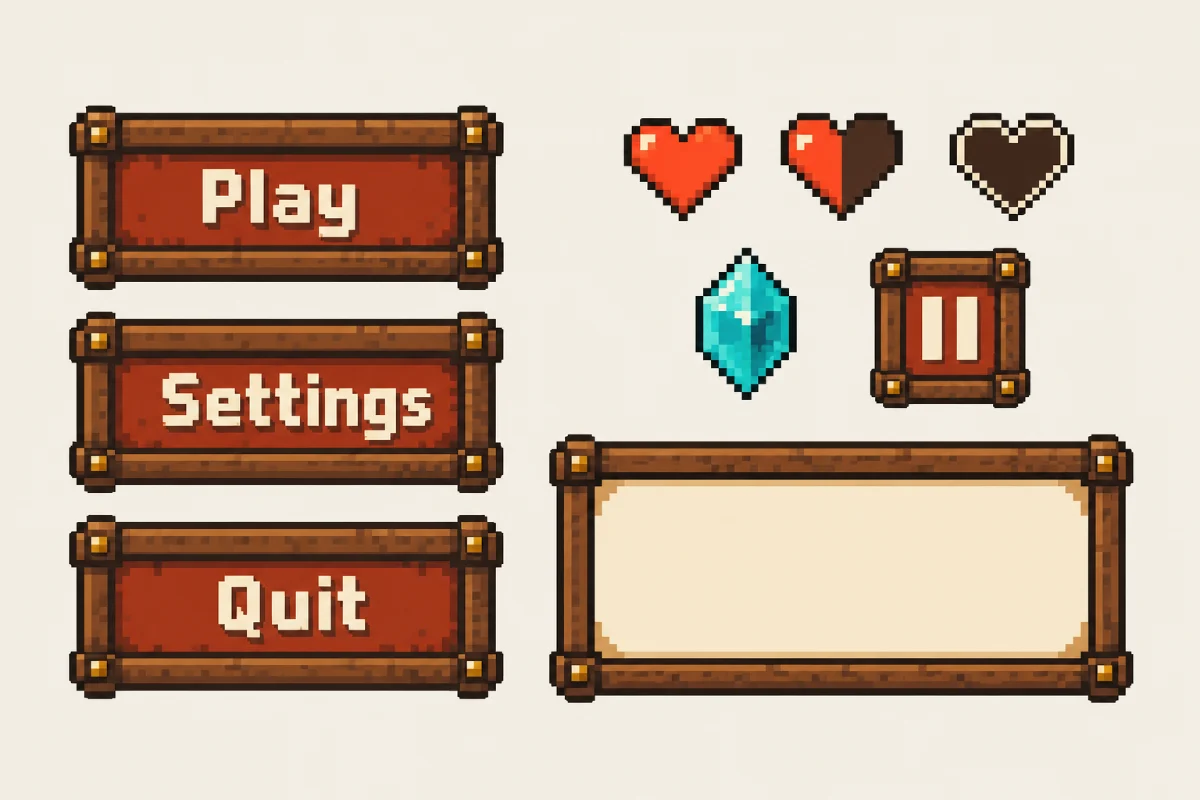
Honestly, it isn’t magic every time. The game screenshot came out right on the first try. The sprite sheet took three, and Codex never quite got the background perfectly flat. That’s normal, and it’s exactly where the two agents meet: Claude Code cuts the sheet into frames and cleans up the edges in code.
Four tips for good AI game assets:
Make one picture first. A screenshot of the game as you imagine it. When you like it, ask for everything else “in the style of this picture”. That keeps the hero and the world from drifting.
Ask for a whole animation at once, not one frame at a time. Frames made separately tend to drift apart.
Ask for a plain or see-through background and an even grid, so the code can cut the sheet into frames.
Write the style down. A few lines in the project (colours, pixel size, mood) that both agents read, so new art matches the old. That one note is the best cure for AI slop.
What you
can make.
Not just platformers. A 3D kart racer in Three.js. A cozy puzzle for phones. A word game for your family, a quiz for your classroom, a tiny game for your shop’s website. Here are two more that Codex imagined for this post:
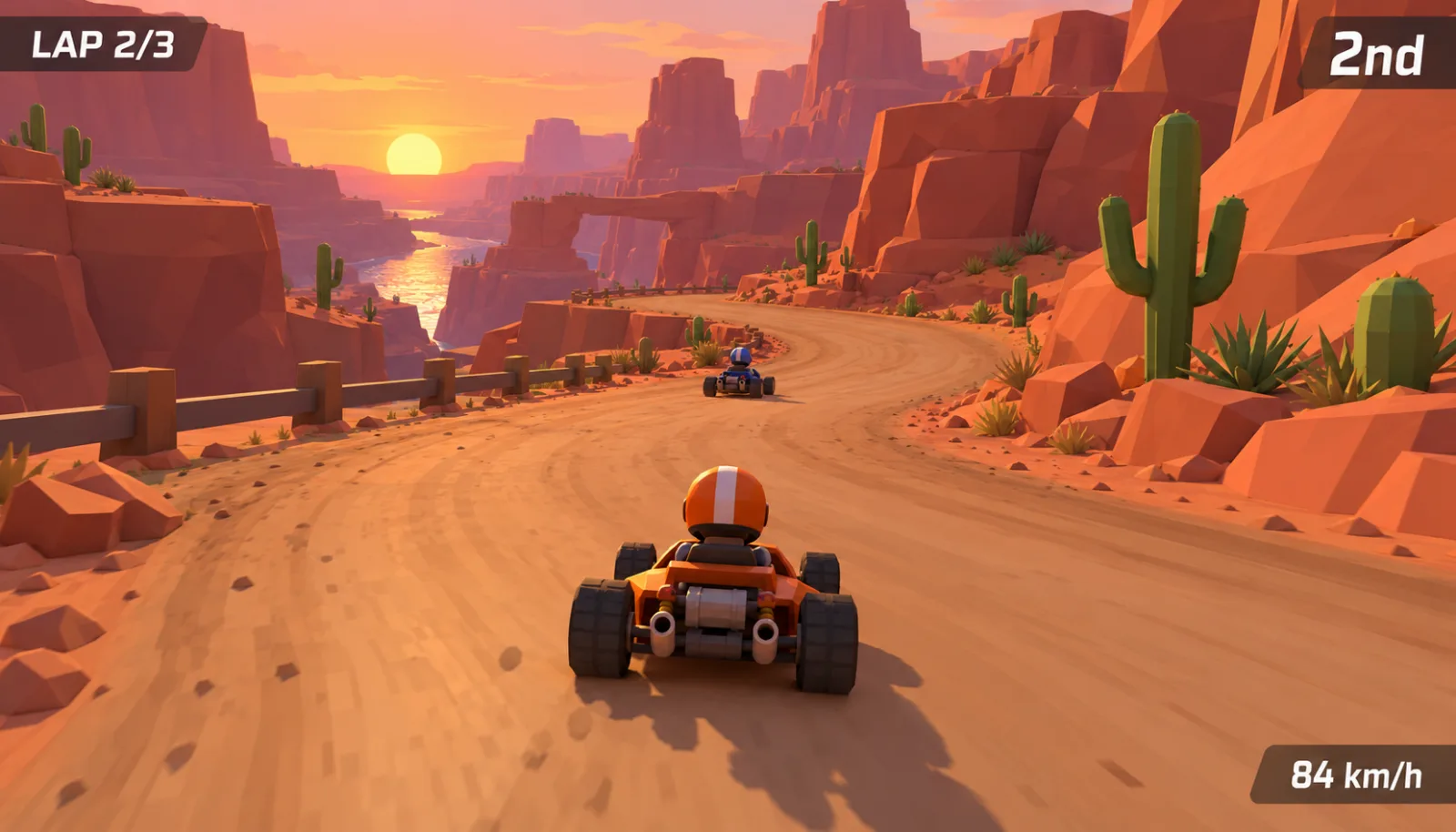
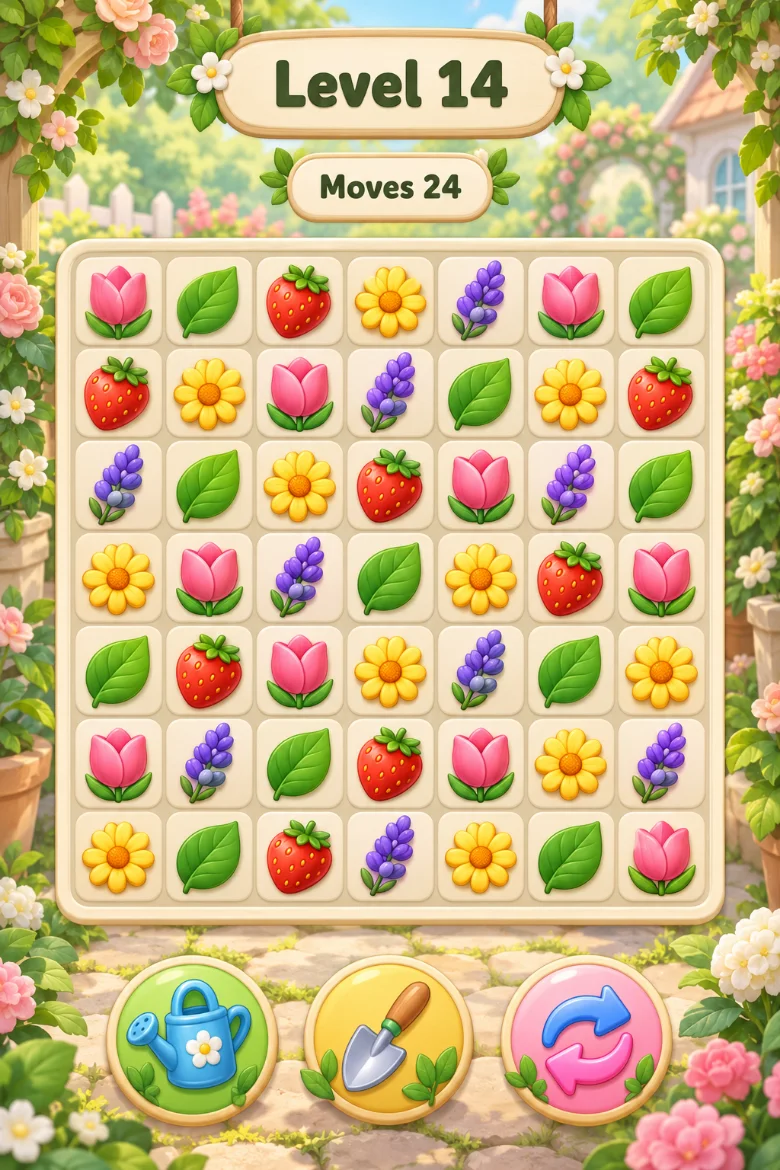
Start with a game you’d happily play for five minutes. You can make it bigger next week.
Vibe coding a game,
step by step.
-
Say what the game is, in one paragraph.
Ask Claude Code first. Copy this and fill in the brackets:
Copy this
I’d like to make a small browser game. It’s [the idea in one sentence]. The player [what you do: jump, dodge, match, steer]. It should work on a phone too. Please start with plain shapes so I can test how it plays, and explain things simply.
-
Get it fun before it’s pretty.
Claude Code builds it with plain boxes and circles first. Play it, and say what feels wrong: too slow, too hard, the jump is floaty. Good art can’t save a game that isn’t fun, and changing boxes is much quicker than changing finished art.
-
Hand the art to Codex.
Say this to Claude Code. On Krot, it calls Codex in for you. Or switch the project to Codex and ask it directly.
Copy this
Ask Codex to make the art for this game. First, one screenshot of how it should look: [the style, e.g. cozy 16-bit pixel art, warm colours]. When I like it: a sprite sheet for the hero, a tileset and the menu buttons, all in that style, saved in the project.
-
Swap the boxes for the art.
Claude Code puts Codex’s pictures into the game, checks that every frame lines up, and plays it again in its browser. Then you play it, and keep talking: a new level, a boss, a high-score table, music.
-
Send it to someone.
Ask for a link you can send to friends. A browser game opens on their phone with nothing to install, which is the best part.
Claude Code and Codex,
together on Krot.
On your own, using two agents together is a chore: two apps, two terminals, copying pictures from one to the other, explaining the game twice. Krot puts both on your Krot Box, your own computer in the cloud, in the same project, working on the same files.
One calls in the other. Claude Code can ask Codex for the sprites as a helper, check its work and carry on building. You don’t copy anything.
Or switch between them. Move the project from one agent to the other, and the new one gets a brief of what’s been done so far.
Same rules for both. Each project has one instructions file every agent reads, so your style note is followed by both.
From your phone. Type or talk, close the app, and get a notification when there’s something new to play.
You bring the subscriptions: a Claude plan with Claude Code (Pro is $20 a month in the US) and a ChatGPT plan with Codex (Plus is $20 a month). Krot is 14 days free, then $12.99 a month on the Founder plan. New to all of this? Start with our beginner’s guide.
Questions
people ask.
Can I make a game with AI if I’ve never coded?
Yes. You describe the game in your own words, the agent writes the code, and you play it and say what to change. Start small: one screen, one idea.
Is Claude Code or Codex better for making games?
Both can write game code. We use Claude Code for the code, because it’s careful with game logic and keeps a growing project in order, and Codex for the art, because it has an image generator built in. That’s our favourite split, not a rule: try it, and swap if one works better for you.
What’s the best engine for a game made with AI?
For a browser game: Phaser for 2D and Three.js for 3D. Both are free and widely used, so AI agents know them well.
Can AI make game assets like sprites and tilesets?
Yes. Codex makes characters, sprite sheets, tilesets, buttons and title screens with its built-in image generator. Make one style picture first, then ask for each asset in that style.
Your turn.
Press start.
Think of a game you’d like to play. Describe it to Claude Code, play the plain version, hand the art to Codex, and put it together. And if you make something, I’d really love to play it: support@getkrot.com.
14-day free trial. Bring your Claude and ChatGPT subscriptions.