Never written a line of code?
Start here.
Everyone’s building with AI right now. Here’s how you join in, step by step, even if you’ve never coded.
You’ve probably noticed. Everyone is talking about Claude Code. People are building apps over a weekend, little tools for their business, websites from a single message. And you’d like to try it too.
But you’ve never written code. You’re not quite sure what a “coding agent” is. And the moment someone mentions terminals or repos, you quietly close the tab.
Not to worry. This is easier than it looks.
All you really need
is an AI agent.
The thing that does the building is called a coding agent: an AI that doesn’t just tell you what to do, it does it. It writes the code, runs it, checks it and fixes whatever’s broken. The best known is Claude Code, from Anthropic. There’s also Codex from OpenAI, Cursor, and plenty of others.
One of them is enough. Really. These are the most advanced tools there are, the same ones professional developers use every day, and they can build websites, apps, little tools for your business, whatever you have in mind.
The catch is the setup. To use Claude Code on your own, you install it on your laptop, open a terminal, the black window full of text you’ve seen in films, and get your computer ready for it: the right tools, the right settings, a browser it can test its work in. And the laptop has to stay on while it works. That’s the part that scares people off.
Krot makes it
easy to use.
That’s where Krot comes in. It runs Claude Code for you on your Krot Box, your own computer in the cloud, already set up and always on. There, Krot gives Claude what it needs to do its best work: the tools your project calls for, its own browser to open and test what it builds, and instructions on how to work on your box, check its work and show you the result. Nothing to install on your laptop.
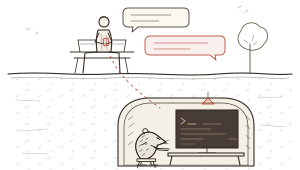
Nothing is taken away. It’s the same Claude Code, able to do everything it normally does, with a proper workshop set up around it. You talk to it in a chat, and because it runs in the cloud, you can do that from anywhere: your phone on the bus, your laptop at home, and carry on where you left off.
So here’s the whole thing in one sentence: get Claude, sign up to Krot, and start talking.
Step by step,
from zero.
Here’s exactly what to do if you’ve never done any of this before. It takes about ten minutes.
-
Get a Claude subscription.
Go to claude.ai and make an account. Then pick the Pro plan. It’s $20 a month in the US (prices vary a little by country), and it includes Claude Code. That’s the AI that will do the building for you.
Already pay for ChatGPT? You can use Codex instead. Same steps, different sign-in.
-
Sign up to Krot.
Open getkrot.com on your phone or laptop and tap Get started. Sign up with Google, or with your email (we’ll send you a link). Then start your free trial: 14 days free, then $12.99 a month.
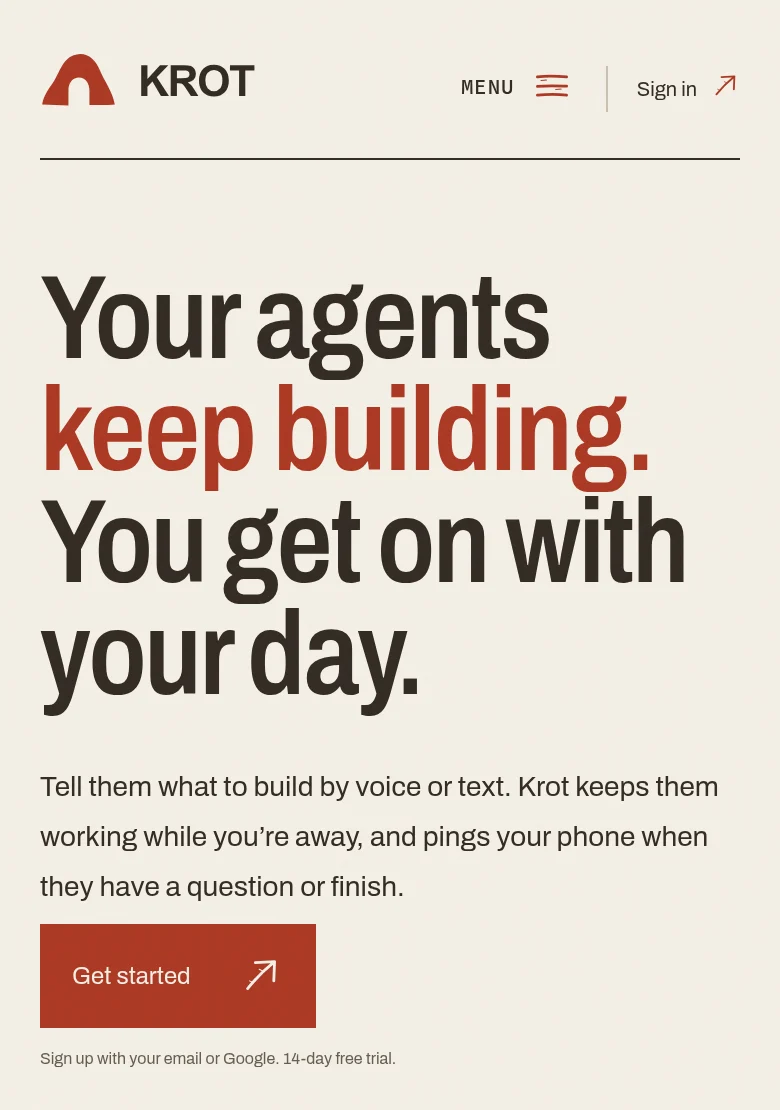
Tap Get started. 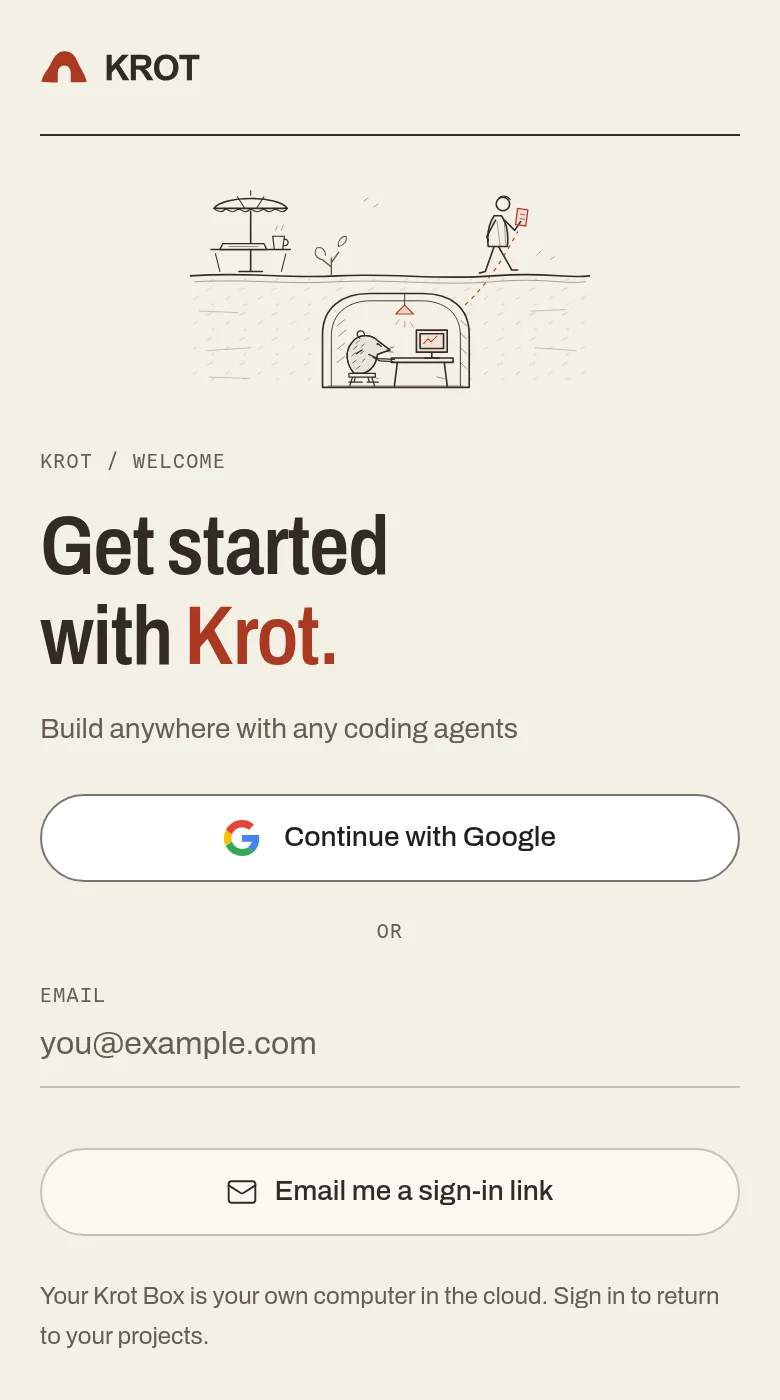
Google or email. Either is fine. Your Krot Box is ready within a minute or two. You don’t have to do anything to it.
-
Connect Claude to Krot.
Krot will ask you to connect your AI. Tap Connect next to Claude Code and sign in with the Claude account from step 1. Claude shows you a code. Copy it, paste it back into Krot, and you’re done.
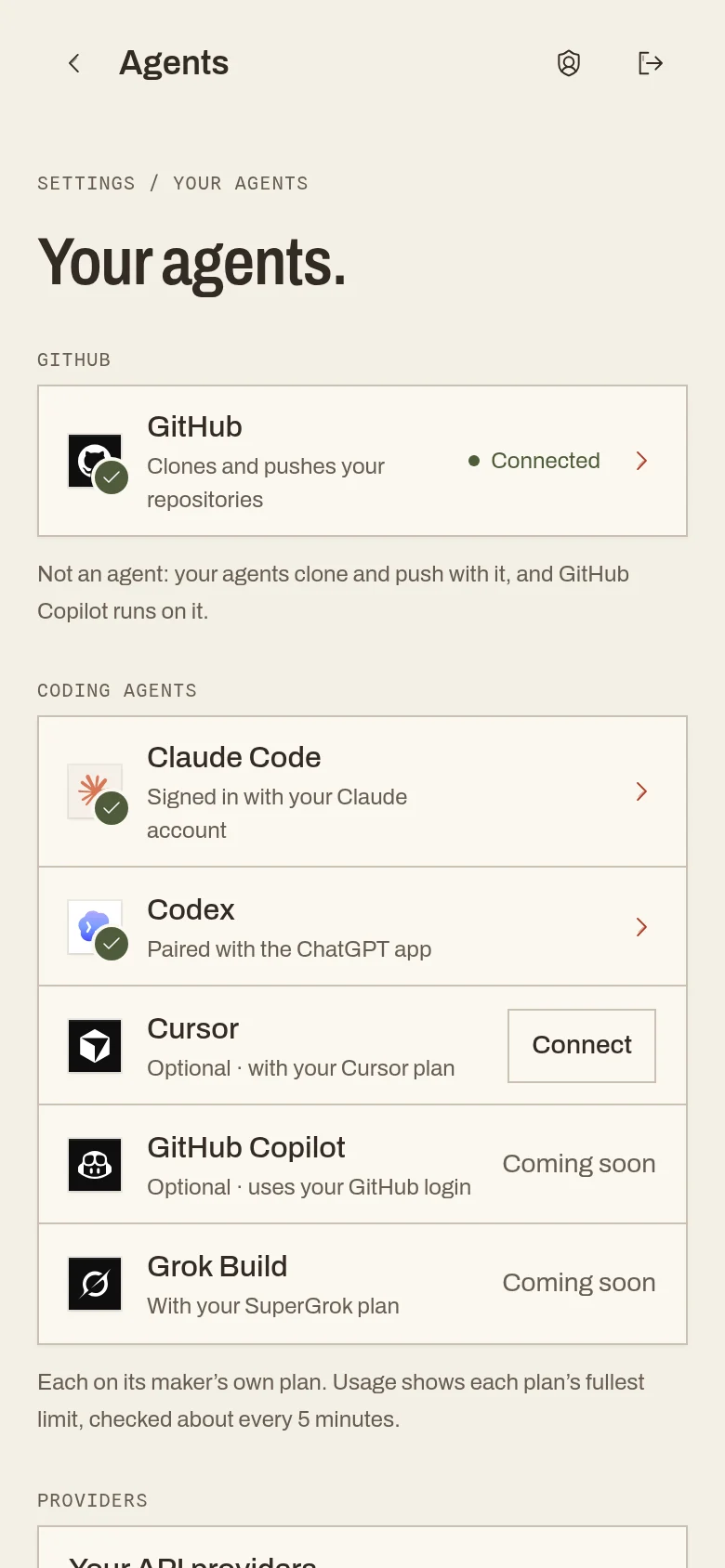
A green tick means it worked. You only do this once. On a phone, Krot will also offer to go on your home screen. Say yes: then it opens like any other app, and it can tap you on the shoulder when Claude needs you.
-
Start a project, and write this.
Tap + Project. Krot asks “What do you want to build?” If you’re not sure how to start, copy this and fill in the brackets:
Copy this
Hi! I’ve never built anything before. I’d love to make [what you want, in one sentence]. It’s for [who will use it]. Where do I start? Please explain things simply as we go.
You can type it, or tap the microphone and just say it. Here’s one I sent, for a pottery class in a garage:
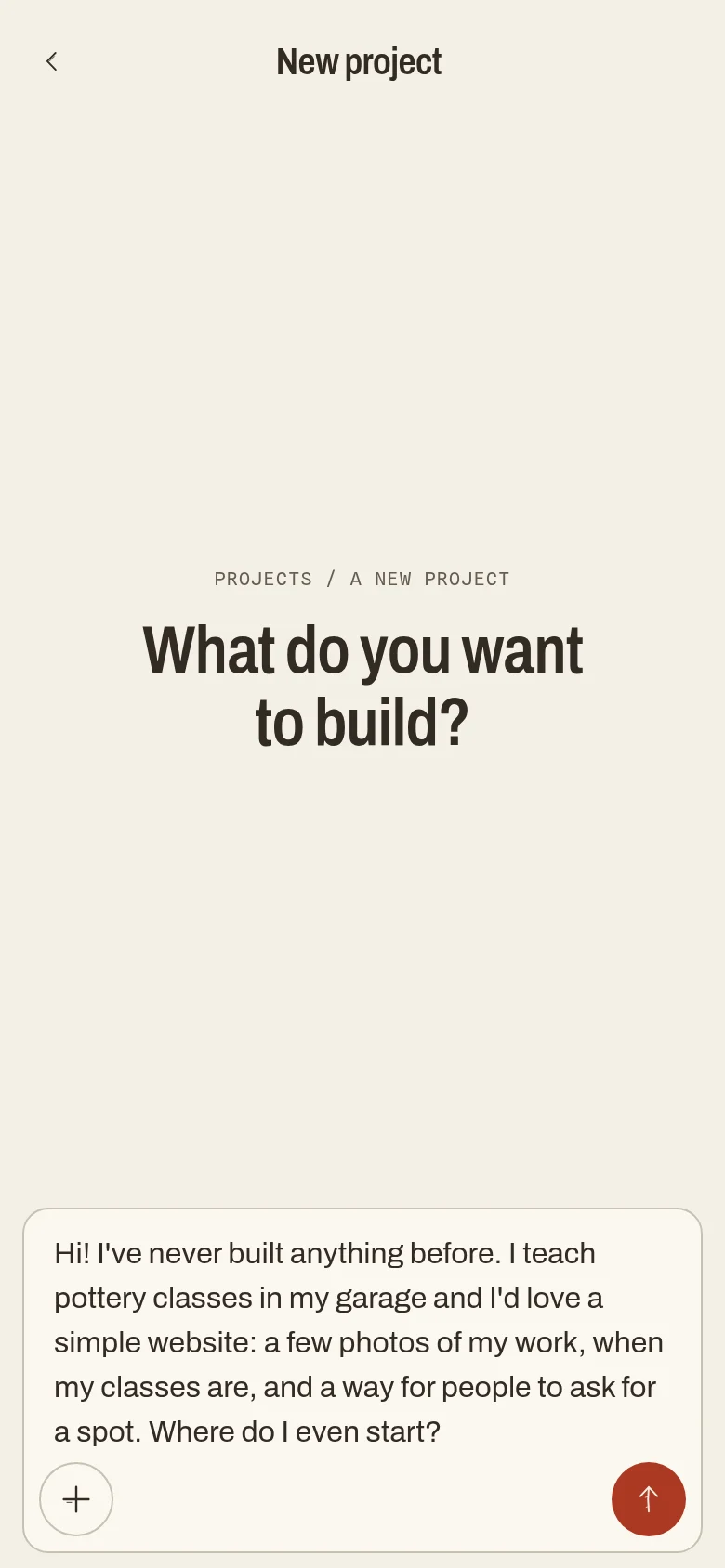
No special words. Typos are fine. -
Answer its questions. Ask yours.
Claude Code answered that message in 49 seconds, with a first draft already made, and a question back: “What’s your studio called?”
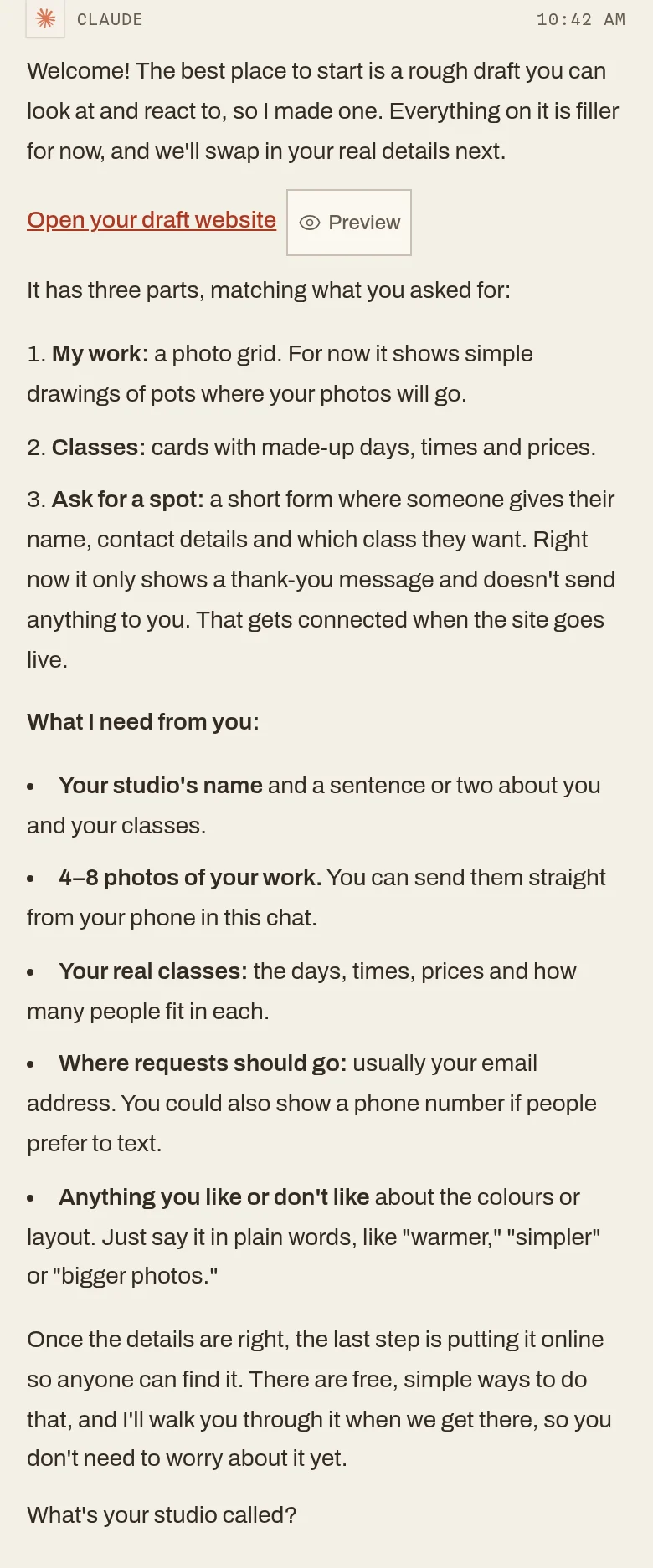
A plan, a draft and a question. 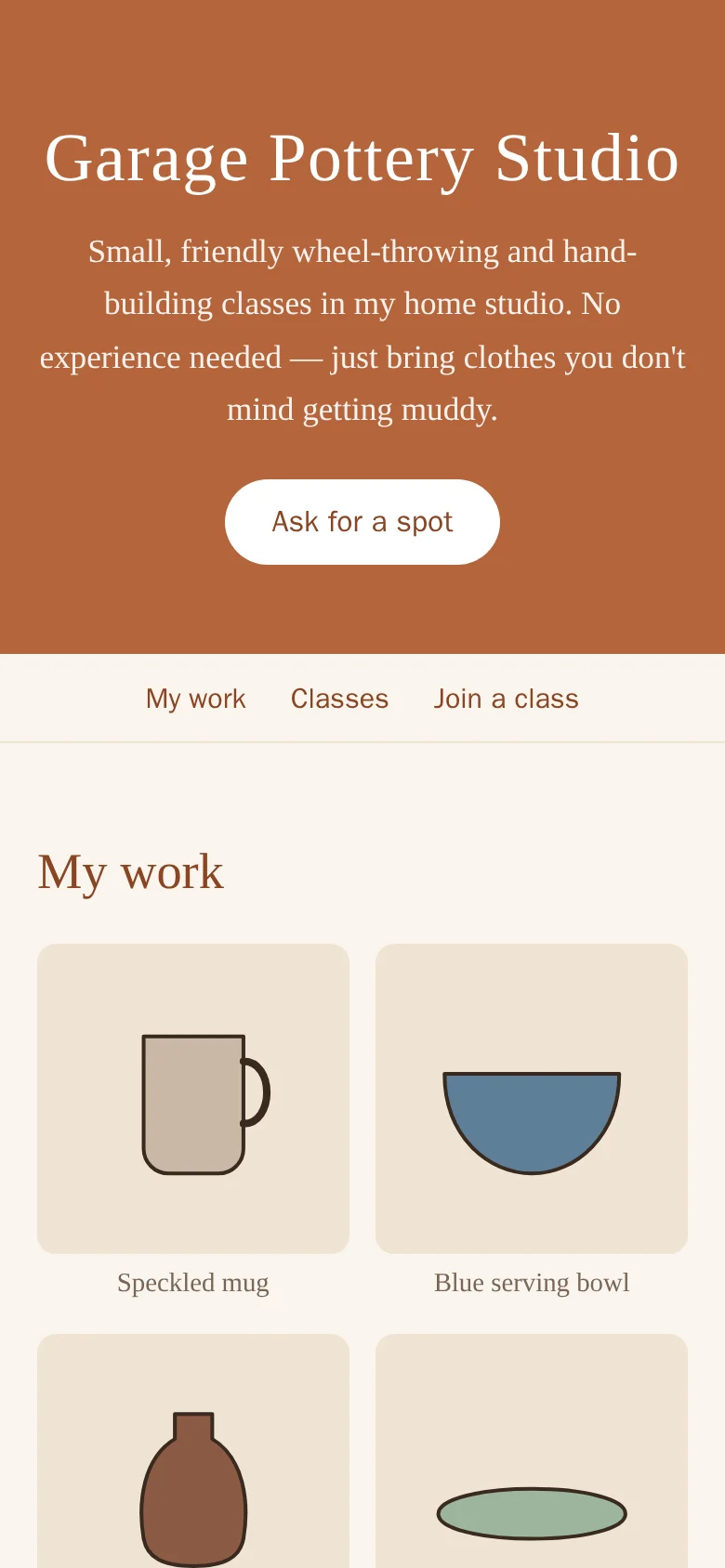
The draft. Private until you say so. From here on, it’s a conversation. Claude asks, you answer, it changes things. You don’t have to watch it work, either: close the app, and your phone gets a notification when it’s done or has a question.
When you get stuck,
just ask.
You will get stuck. Everyone does. How do I put this online? What’s a domain? Why is the button blue? Ask it in the chat, exactly like that.
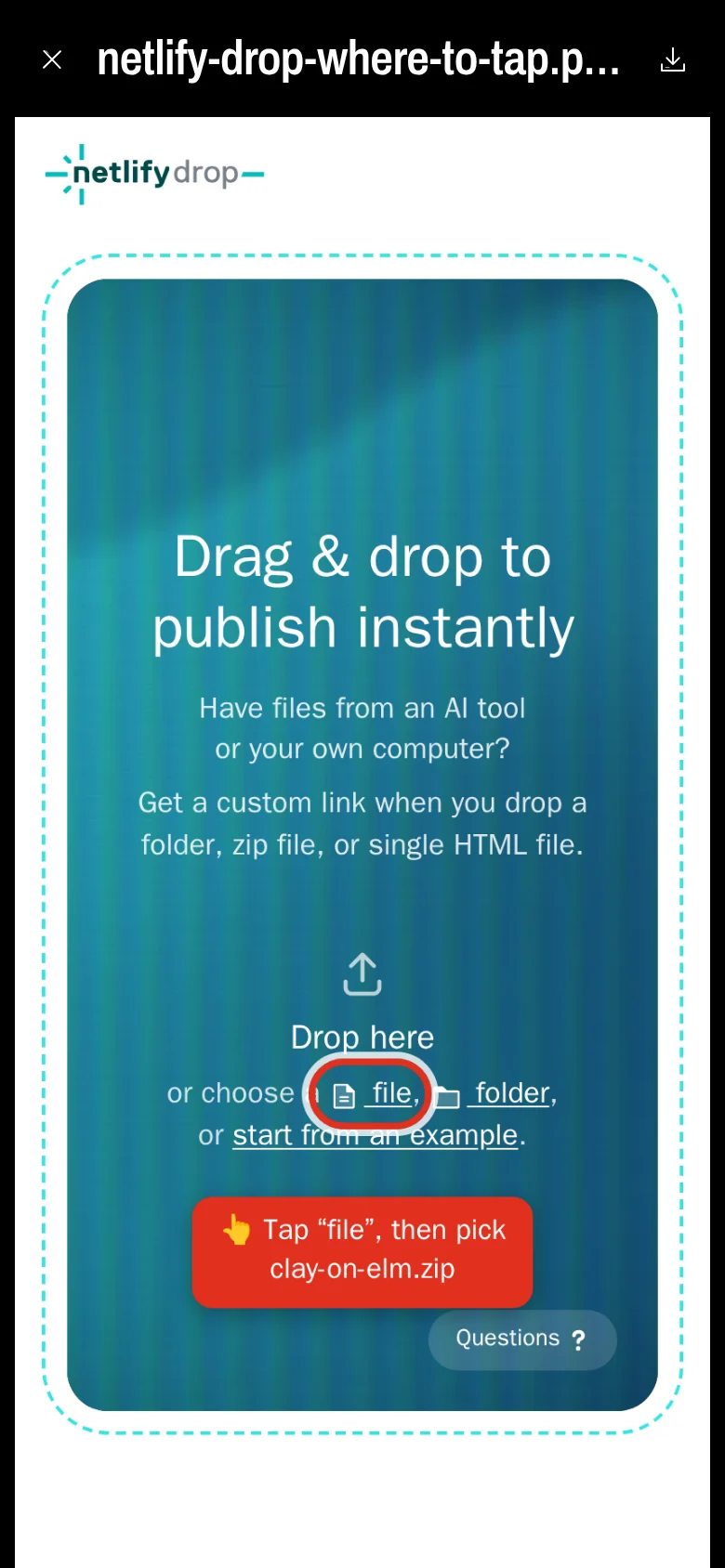
When I asked how to put the pottery site on the internet (“I don’t really know what hosting is”), Claude started with “Not a silly question at all,” explained it in one paragraph, and listed what to click. Then I asked it to show me. It went to the real website in its own browser, took a screenshot, and circled the button in red.
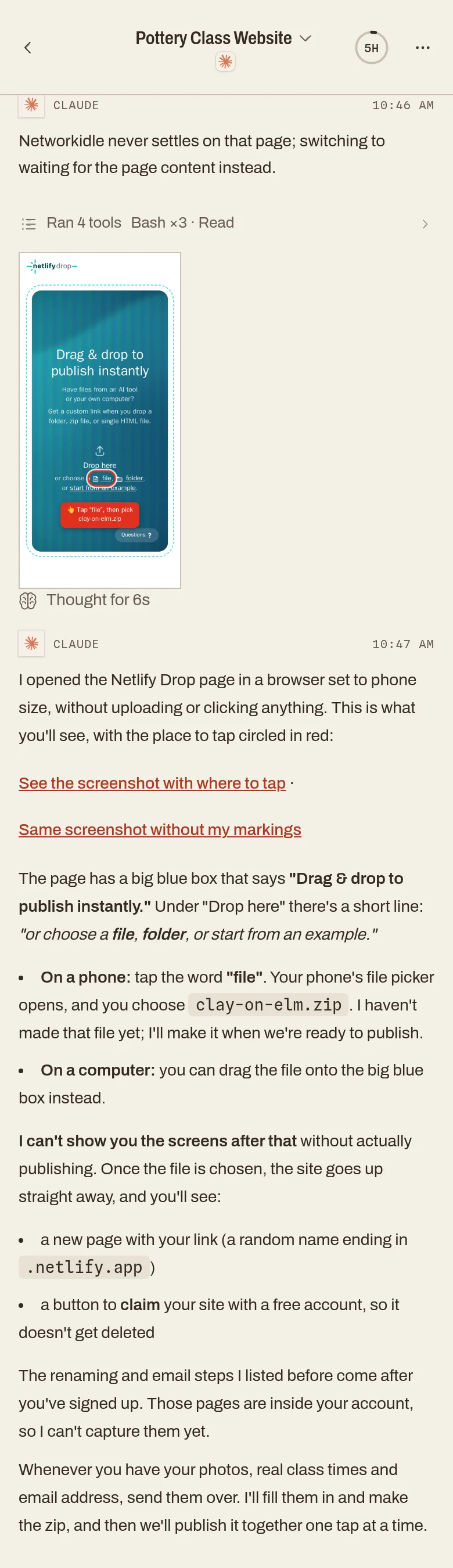
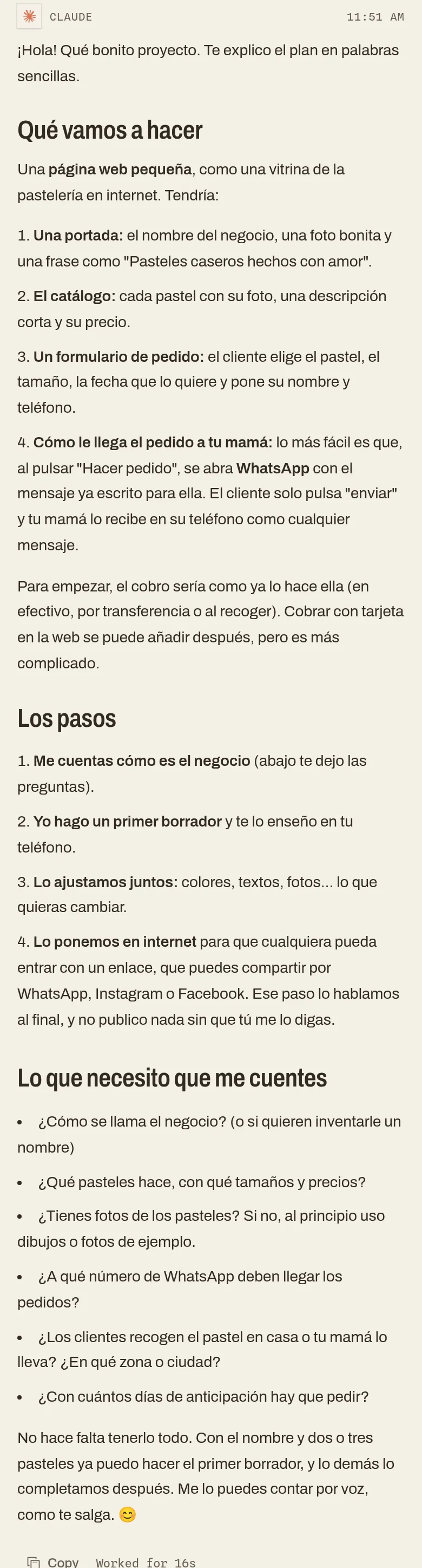
And you can do all of it in your own language. Here’s someone writing in Spanish about a small website for their mum’s home bakery. Claude answered in Spanish, suggested taking orders on WhatsApp so there’s nothing to set up on day one, and promised not to publish anything until they say so.
Questions
people ask.
I want to start building apps with AI. Where do I start?
Pick one coding agent, give it a computer to work on, and describe what you want in plain words. The simplest way in: get a Claude Pro subscription (it includes Claude Code), sign up to Krot, connect the two, start a project and say what you want to make. It takes about ten minutes, needs nothing installed, and works from a phone or a laptop. Start with something small: one page, one tool, one idea.
Do I need to know how to code to build an app with AI?
No. A coding agent writes the code, runs it, checks it and fixes what’s broken. You describe what you want, try what it made and say what to change. Ask it to explain things simply as you go.
What’s the difference between a chatbot like ChatGPT and a coding agent?
A chatbot answers in the chat: it can show you code, but you copy it, set it up and run it yourself. A coding agent, like Claude Code or Codex, does the work on a computer: it creates the files, installs what the project needs, runs the app, tests it and fixes it. That’s why it needs a computer to work on: your laptop, or a Krot Box in the cloud.
Which AI should I use to build an app?
One coding agent is enough. Claude Code, from Anthropic, comes with Claude Pro and is the one this guide uses. Codex, from OpenAI, comes with ChatGPT plans, and Cursor is another popular choice. On Krot you can switch between them on the same project, or have two work together.
How much does it cost to build an app with AI?
With this setup: a Claude Pro subscription, $20 a month in the US, and Krot, 14 days free, then $12.99 a month. Putting a simple site online can be free on hosting services like Netlify. There’s no software to buy.
Can I build an app from my phone?
Yes. On Krot the agent runs on your Krot Box, your own computer in the cloud, so you can type or talk to it from your phone, close the app, and get a notification when it’s done or has a question.
That’s it.
Your turn.
Get Claude. Sign up to Krot. Connect them. Say what you want to make.
Start with something small, like one page, one tool or one idea you’ve been carrying around. You can always add more next week. And if you make something, I’d really love to see it: support@getkrot.com.
14-day free trial. Bring your Claude subscription.